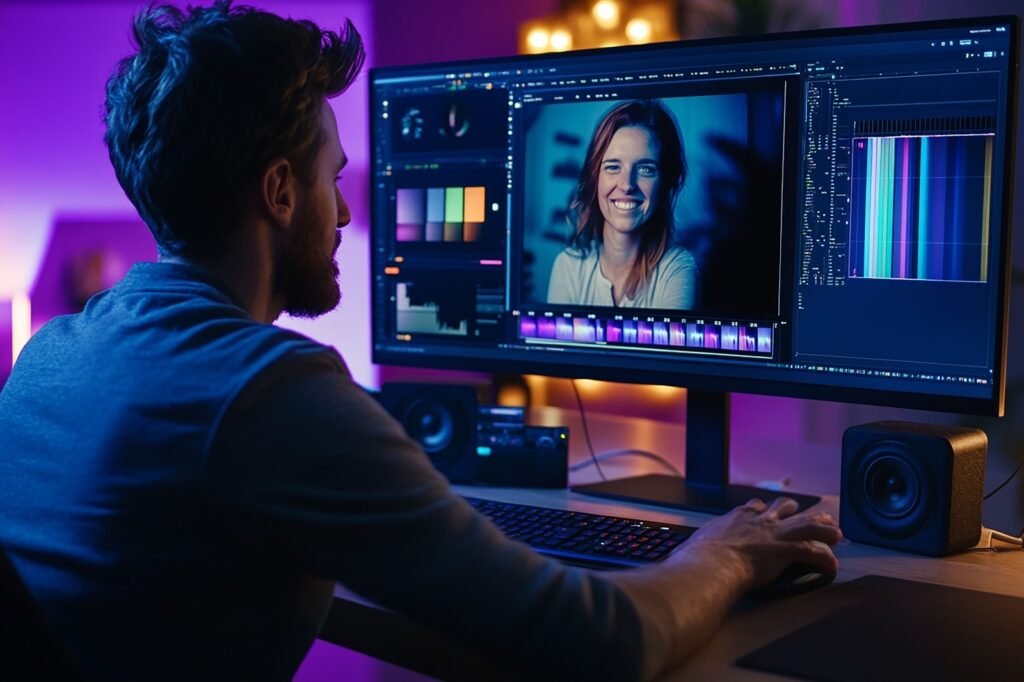
Video editing has always been time-consuming and hard, even for experienced editors. Cutting clips, adding transitions, adjusting colors, and syncing music can take hours or even days. But now, the New AI Video Editors are changing everything.
These smart tools learn your editing style and help you create professional videos faster and easier. You don’t need to spend so much time on technical work; you can focus on your ideas and creativity. Whether you’re a beginner or a professional creator, an AI Video Editor makes your life simpler.
What is an AI Video Editor?
An AI Video Editor is software that uses artificial intelligence to help you edit videos automatically. Unlike traditional video editors, which require manual trimming and arranging clips, AI tools analyze your footage and make smart suggestions based on your style.
For example:
- It can trim parts with no action automatically.
- It can suggest the best transitions between clips.
- It can adjust colors, brightness, and audio without manual work.
In short, the New AI Video Editors does the hard work while you guide the creative vision.
How AI Understands Your Style?
One of the most amazing things about the AI Video Editor is that it can learn your unique style. This is done by:
- Analyzing past videos: Looks at your previous edits, including cuts, transitions, color tones, and music choices.
- Following your instructions: You can teach the AI by selecting styles, templates, or examples you like.
- Making smart predictions: Suggests edits that match your preferences, keeping your videos consistent.
For example, if you like fast cuts and upbeat music in your vlogs, AI will recommend similar edits for new videos. This ensures your content always reflects your style, saving time and maintaining quality.
Benefits of Using an AI Video Editor
Using the New AI Video Editors comes with many advantages:
Faster Video Creation
AI handles repetitive tasks like trimming and transitions in minutes. What might take hours manually can now be done quickly, letting you produce more content in less time.
Cost-Effective
Hiring professional editors can be expensive. An AI Video Editor allows you to create professional videos without paying for a full team, saving both money and resources.
Consistency in Style
AI remembers your style preferences. Your videos will look and feel consistent, which is important for branding or regular content creation.
Easy for Beginners
Even if you’ve never edited a video, AI makes it simple to create professional-quality content. You just upload footage, select your style, and let the tool do the work.
More Time for Creativity
Since AI handles technical tasks, you can focus on storytelling, ideas, and engagement, making your videos more creative and fun.
Features to Look for in AI Video Editing Tools
| Feature | What it Does | Why it Matters |
| Automated Cutting & Trimming | AI removes unwanted parts | Saves time and keeps the video clean |
| Smart Transitions | Suggests effects between clips | Makes the video smoother and professional |
| Auto Color & Audio | Adjusts brightness, colors, and sound | Ensures video looks great automatically |
| Templates & Style Suggestions | Offers ready-to-use layouts | Keeps your videos consistent |
| Social Media Integration | Exports in correct sizes/formats | Saves time posting online |
These features make editing faster, easier, and smarter, helping the AI Video Editor stand out from traditional tools.
Step-by-Step Guide: Editing Videos with AI
Creating videos with the AI Video Editor is easy if you follow these steps:
Step 1: Plan Your Video
Decide on the goal of your video and who your audience is. Knowing this helps the AI suggest better edits and ensures your content is relevant.
Step 2: Upload Your Footage
Add all the clips, images, and audio you want to include. Make sure your files are organized to make editing smoother.
Step 3: Choose AI Settings
Select your preferred style, transitions, music, and pacing. The AI will use these settings to match your unique editing style.
Step 4: Let AI Edit
The AI automatically trims clips, adds transitions, adjusts colors, and syncs audio—saving you time and effort.
Step 5: Review and Tweak
Watch the AI-edited video and make small adjustments if needed. You can override suggestions to add your personal touch.
Step 6: Export and Share
Once satisfied, export the video in the desired format and share it on social media, websites, or via email.
Following these steps ensures your videos are professional, consistent, and personalized, even if you’re new to video editing.
Tips to Make the Most of AI Video Editors
- Start Simple: Begin with short videos to see how the AI works.
- Feed Enough Examples: Give multiple clips or past videos so the AI learns your style.
- Review AI Suggestions: Always check the edits before finalizing.
- Add Personal Touches: AI is smart, but your creativity adds uniqueness.
- Use AI Recommendations: Let the tool suggest transitions, music, and pacing for best results.
Tips to Maximize Effectiveness
Using the New AI Video Editors effectively can make your videos look professional and engaging. Here are some simple tips to get the most out of it:
Start Simple
Begin with short, basic videos to understand how the AI works. This helps you get comfortable before creating longer projects.
Feed AI Enough Examples
Give the AI multiple clips or past videos so it can learn your editing style accurately. The more it sees, the smarter it gets.
Review AI Suggestions
Always check the edits the AI makes. You can accept what works and adjust anything that doesn’t match your vision.
Add Personal Touches
AI is helpful, but your unique creativity makes videos special. Add your ideas, captions, or effects to make content stand out.
Use AI Recommendations
Let the AI suggest transitions, music, or pacing. These suggestions often save time and improve the quality of your videos.
Measuring Success: Metrics That Matter
To know if your AI Video Editor is working effectively:
- Views & Engagement: Are people watching your videos?
- Retention: How long do they stay engaged?
- Editing Time Saved: How much faster did AI make the process?
- Consistency: Do all videos match your style?
Tracking these metrics helps you improve future videos.
Future of AI Video Editing
The AI Video Editor is only going to get smarter in the coming years. Soon, it will give real-time editing suggestions while you film, helping you make videos faster and more accurately. It will also be able to predict what your audience will enjoy, so your content is always engaging and appealing.
We can also expect integration with AR and VR to create interactive, immersive experiences for viewers. The tools will become even more intuitive, making it easy for both beginners and professional editors to create amazing videos. Using AI now gives creators a head start and prepares them for the future of video content.
Conclusion
The New AI Video Editors are transforming video creation. It saves time, maintains style, and makes editing simple for everyone. Both beginners and professionals can create high-quality, engaging videos faster and smarter than ever.
Start using the AI Video Editor today! Make custom, professional videos in minutes, save time, and connect with your audience. Create smarter, faster, and more personal content now! Visit Smart AI Tools to discover the best AI applications for 2026 and start transforming your operations now.
FAQs
Q1: What is an AI Video Editor?
It’s a smart tool that edits videos automatically. It learns your style to make the editing process faster and easier, even for beginners.
Q2: Do I need special skills to use it?
No. Most AI video editors are beginner-friendly and simple to use. You don’t need to know coding or advanced video editing.
Q3: Can it learn my personal editing style?
Yes. The AI looks at your past videos and suggestions to match your preferences, keeping your videos consistent.
Q4: Is AI video editing expensive?
Not really. Many AI video editing tools are affordable for both small creators and large teams, saving time and money.
Q5: How often should I use it?
Start with a few videos per month and see how it improves your workflow. You can adjust frequency based on results and engagement.